


As Shopify Markets drives multi-language storefront adoption, every shopping feature, including filters, must be localized. Our old tabbed layout worked well initially but became cluttered as translation features expanded. Merchants managing multiple languages across large catalogs found that switching tabs slowed down their workflow.
What changed
The Translation page is now a straightforward list, one row per translation type: Filter, Filter option, Sort by, Search, Instant search display, Products, Recommendation, Predictive bundle, No result display, and more. Tap any row to open a focused editor for that feature, with all the translation logic you already know intact. A Back action returns you to the list, and Save only activates when there's something new to save, so you always know exactly where things stand.
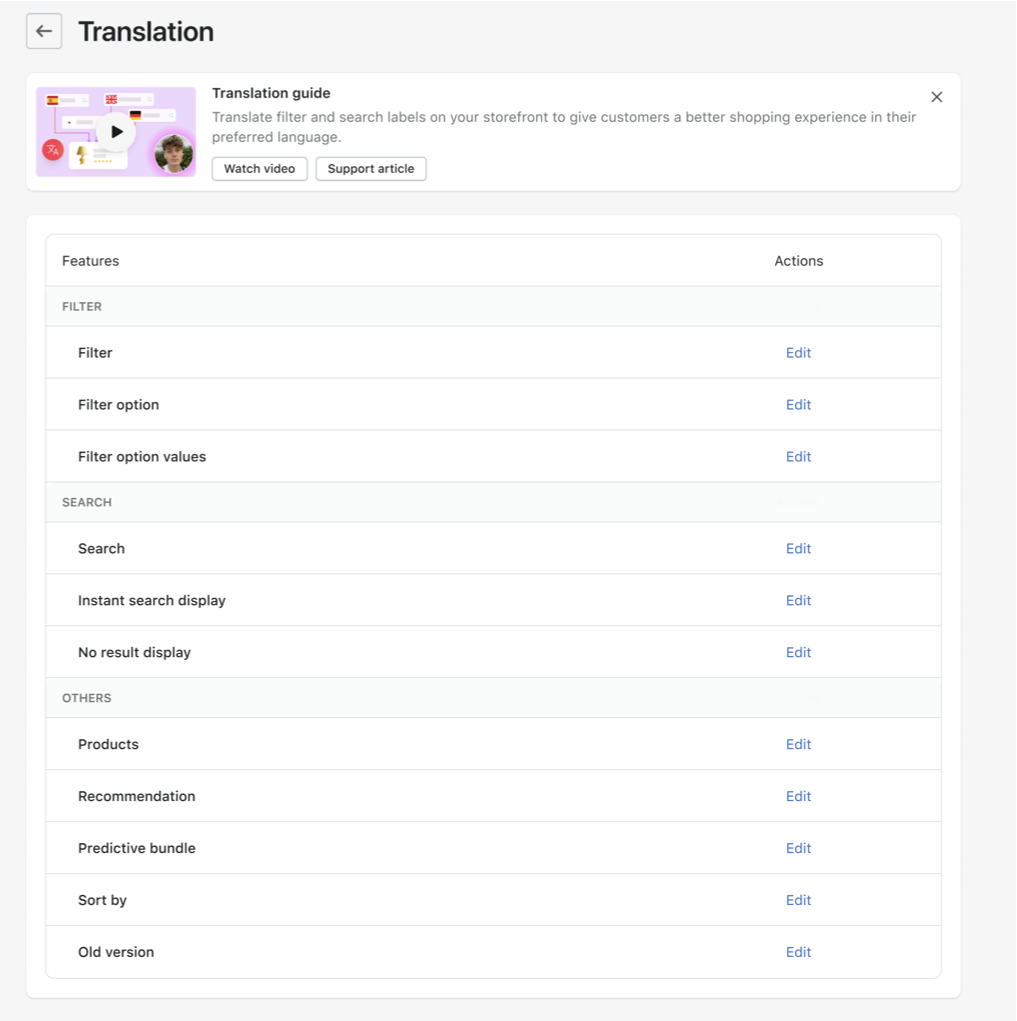
The list view makes it clear what you can translate and where to find it, reducing clicks and confusion for teams juggling multiple languages at once. It also clears the path for what's next: native Filter option value translation, so tags, stock status labels, and custom filters can be translated right inside Boost.
Visit the Translation guide for more information.