New integration: Boost now supports Shopify Combined Listings
Boost
Published
•
August 7, 2026
Integration
Why we built the integration with Shopify Combined Listings
Shopify Combined Listings is a powerful way to group related products, such as a jacket available in different colorways, under a single parent listing rather than managing them as completely separate products. But until now, Boost and Combined Listings did not work together.
For merchants building out their catalog this way, that was a real blocker. Boost features such as search, filters, merchandising rules, and recommendations either behaved unexpectedly or failed to account for the parent-child product relationship at all.
As Combined Listings adoption grows, particularly in the US market, this gap was showing up in merchant feedback and limiting what stores on Shopify Plus could do with Boost.
What this integration does
Boost now follows Shopify's parent-child-variant data structure and inherits Shopify's logic for how Combined Listings work. When you enable the integration, Boost syncs your product catalog with this new hierarchy in mind and gives you a dedicated set of controls to manage how products appear across your storefront.
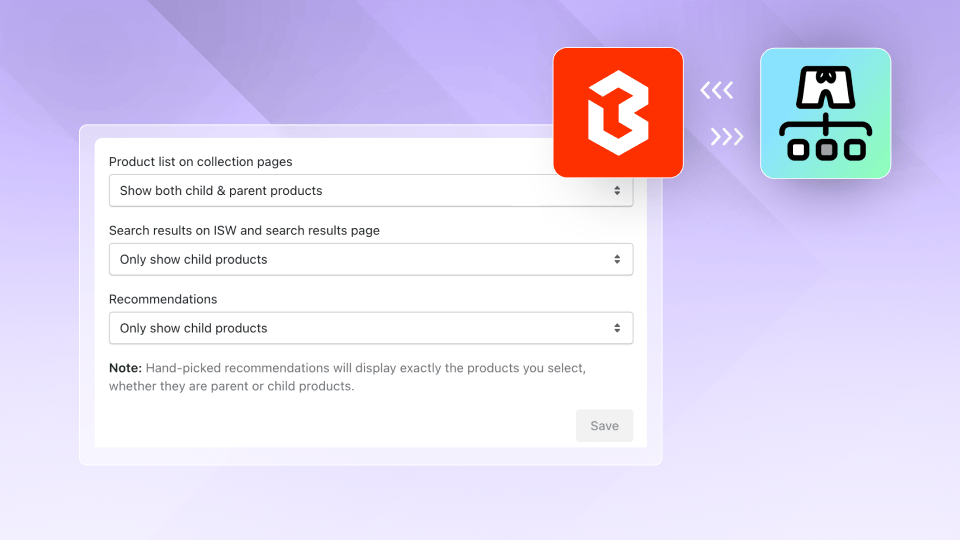
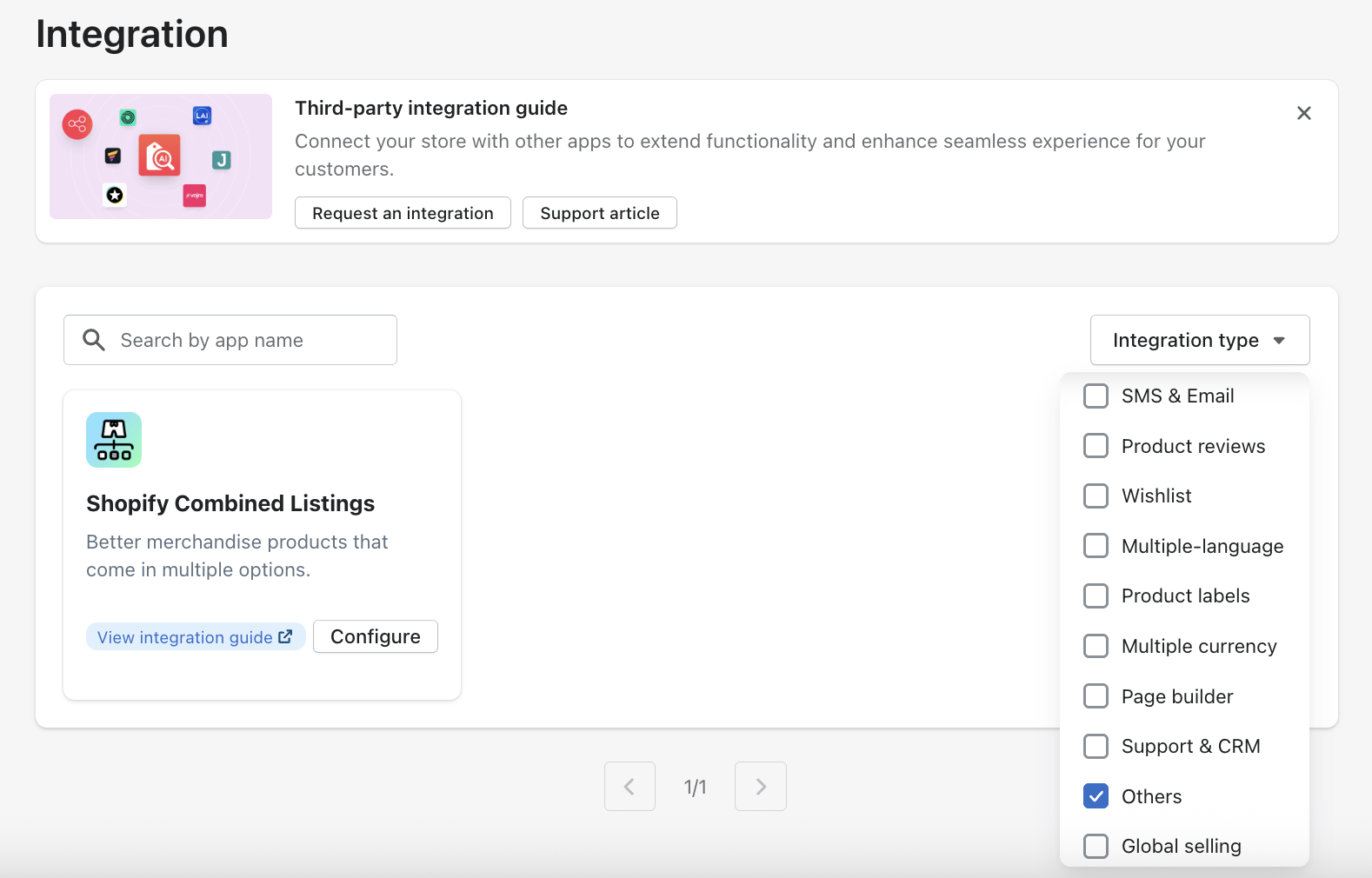
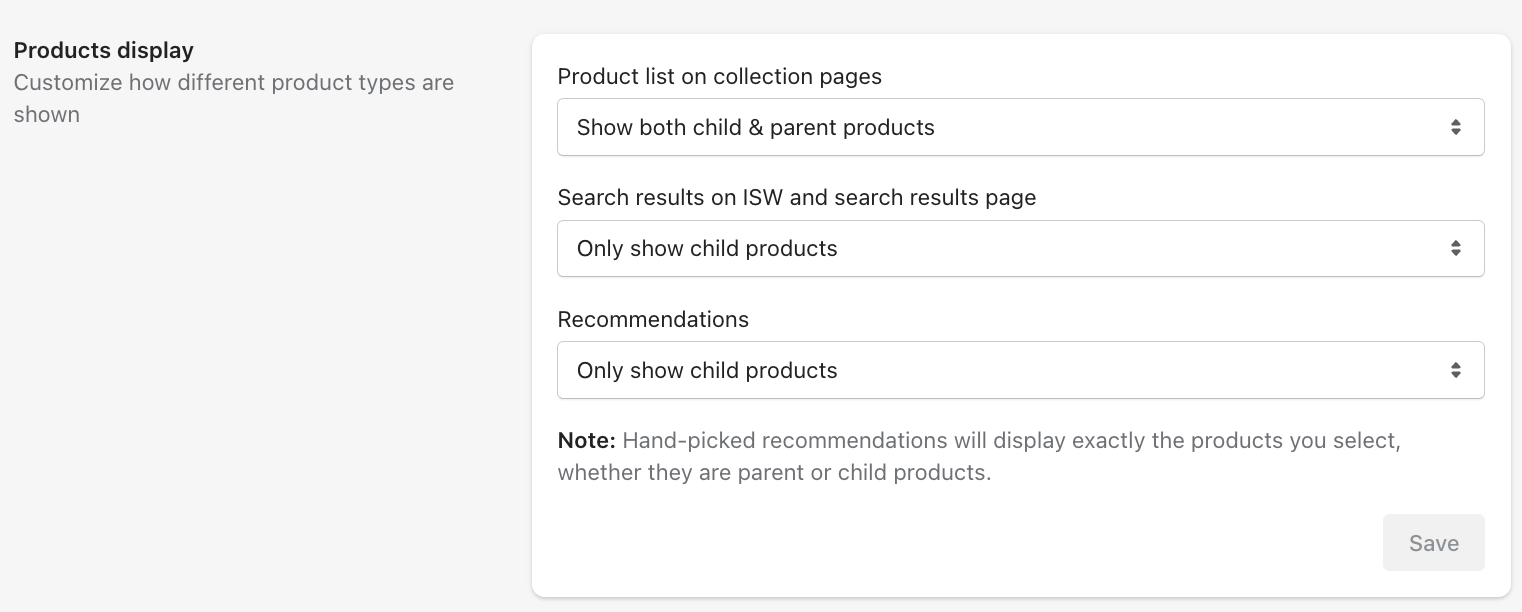
From the integration settings page (Integration > Third-party integration > Others > Shopify Combined Listings), you can configure three key display settings:
Product list on collection pages: Show both parent and child products (default), or only parent products.
Search results (Instant Search Widget and search results page): Show child products only (default), only parent products, or both.
Recommendations: Show child products only (default), only parent products, or both.
These defaults are set to reflect the most common merchant expectation, but you have the flexibility to adjust them to match your store's browsing experience.
How other features behave with Combined Listings enabled
Because parent and child products are treated as independent entities with their own data, a few things work differently once the integration is on:
Filters return results based on each product's own attributes. If a child product has a Color option but the parent does not, filtering by Color will return the child product only.
Merchandising rules set up by attributes or metrics apply at the product level where that data exists. Rules that use shared attributes such as product title, tag, category, or collection apply to both parent and child products.
Search results follow your display settings. Because parent products have no sales data, they are not prioritized in personalized or performance-based ranking.
Recommendations driven by sales data (Frequently Bought Together, Bestsellers, Trending, Personalized, Recently Purchased) return child products only, since parent products carry no transaction history. Hand-picked recommendations work at whichever level you select.
Bundles and Pre-orders apply to child products only.
Variant Display is automatically disabled when Combined Listings is active because the two features are incompatible.
Add to cart behavior is automatically updated: if you were using "Show quick add to cart," Boost will switch this to "Show add to cart pop-up" to ensure a consistent experience across parent and child products.
Analytics calculates revenue at the child product level. Product performance metrics, such as click rate and top products, are tracked at both levels.
Best practices
Start by reviewing your catalog structure in Shopify before enabling the integration, so you have a clear picture of which products are parents and which are children.
Use the default display settings as your starting point, then adjust based on how you want shoppers to browse. For most stores, showing child products in search and recommendations, and both in collections, is the right balance.
When setting up merchandising rules, keep in mind that rules based on sales data or variant-level attributes will only apply to child products. Build rules around shared attributes (tags, product type, collection) when you want them to reach both levels.
Note that price-based features currently work correctly in your store's main currency only. If your store uses multiple currencies or Shopify B2B Markets, price filtering, sorting, and price-based merchandising rules on Combined Listings products will not behave as expected in this release.
This integration is now available to merchants on the Boost Turbo app version with a Shopify Plus store. To get started, visit the integration guide.
Boost Commerce now integrates with Shopify Combined Listings, providing compatibility between the two platforms for Shopify Plus merchants using the Boost Turbo app version. Combined Listings introduces a three-tier product structure (parent product, child product, variants), and Boost aligns with this hierarchy to keep search, filters, merchandising, and recommendations consistent with how your catalog is organized. You get flexible controls to decide exactly how parent and child products appear across each part of your storefront. This is a foundational update that removes a long-standing compatibility gap for stores running more complex product structures.