


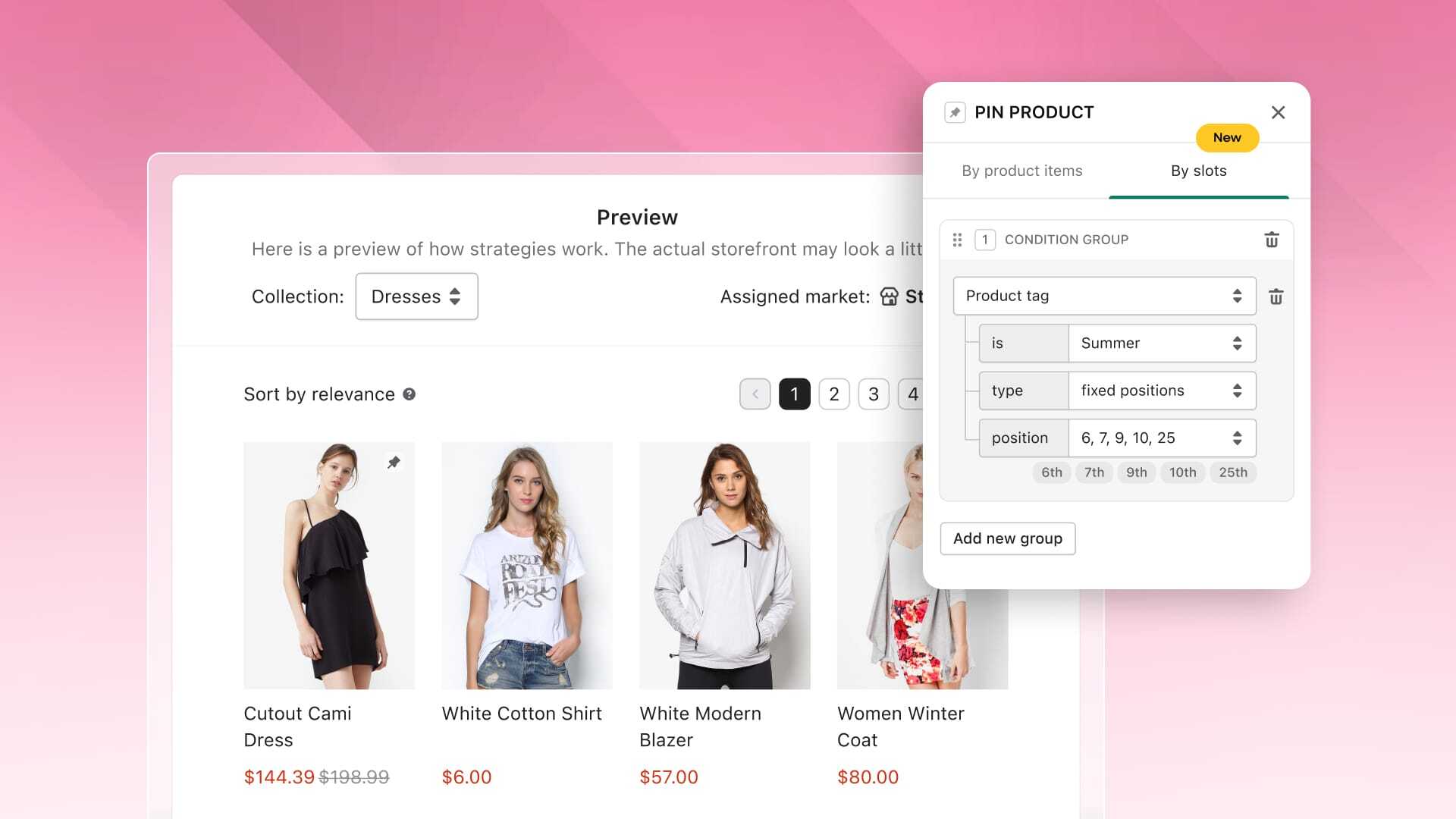
Manual pinning highlights individual bestsellers well, but it creates massive work for large catalogs. This overhead previously deterred many merchants from using merchandising, especially on collection pages. Conditional slot rules solve this by using product tags and product items to automate layout, maintaining a merchandised storefront without ongoing manual work.
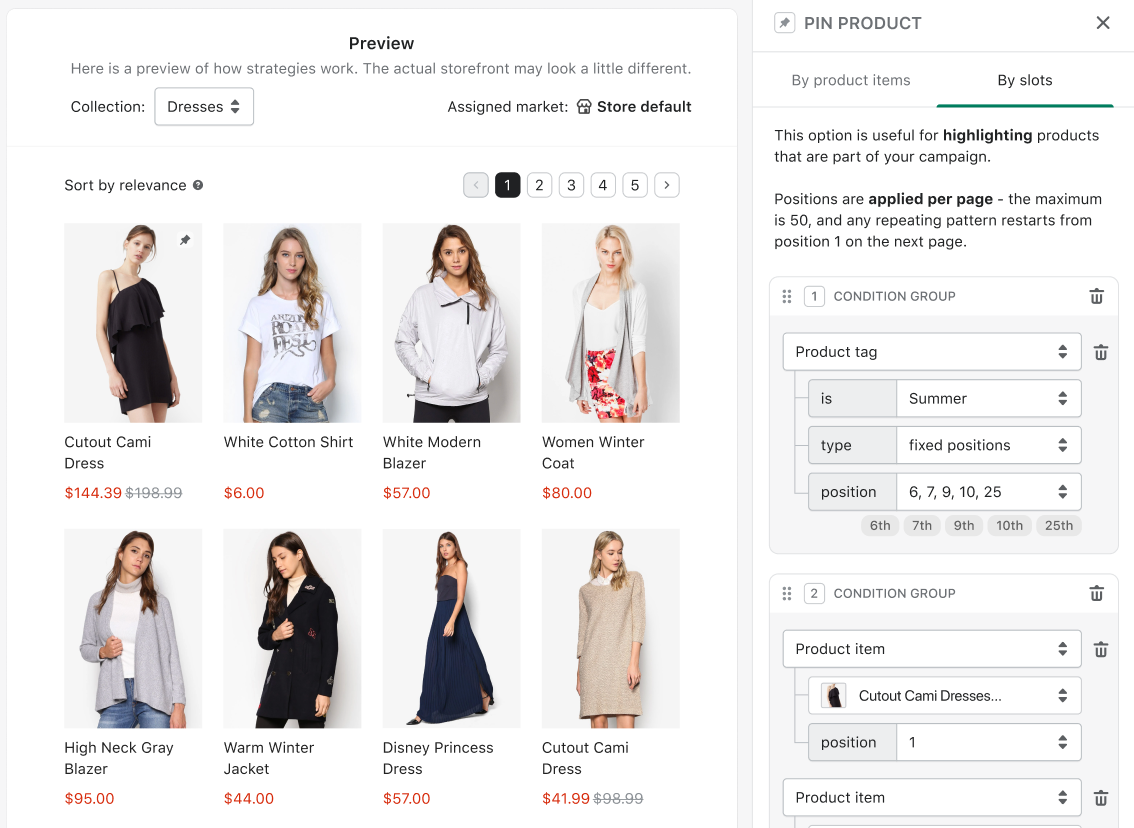
Conditional slot rules in the Pin strategy of the Merchandising feature let you configure a single rule to handle display arrangements automatically. Mapping tags like "new-in" to set grid positions keeps your storefront dynamically updated across Search and Collection pages without manual restructuring.
If tagged inventory drops, Boost fills empty spots using default sorting to avoid gaps while preserving your hierarchy (Hidden items, Banners, Pins). This automation reduces hours of manual catalog merchandising to minutes.
Conditional Slot Rules also support product IDs by setting the group attribute to "Product item" instead of "Product tag," allowing you to pin up to 50 specific product IDs.
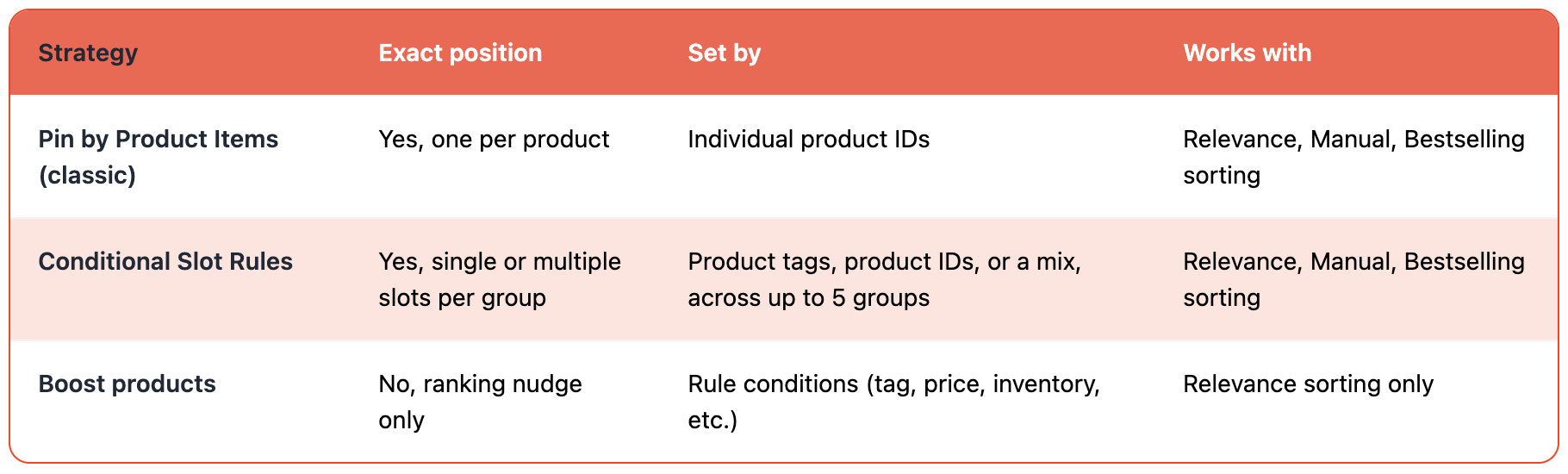
Unlike the classic Pin by Product Items tab, item-based and tag-based groups can share a single rule, letting you pin bestsellers to positions 1 to 3 and auto-fill positions 4 to 10 with a "new-in" tag in one configuration.
Boost products in our Merchandising feature works differently: it doesn't fix items to exact slots, but nudges matching products toward the top of relevance-ranked results, requiring Relevance sorting to be active.
Pinning (via product ID or tag) guarantees exact positioning across Relevance, Manual, and Bestselling sorting. Use Boost for general visibility lifts, and Pin when you need exact page placement.
For full instructions on Merchandising, check out this article on Help Center: Visual merchandising overview.