


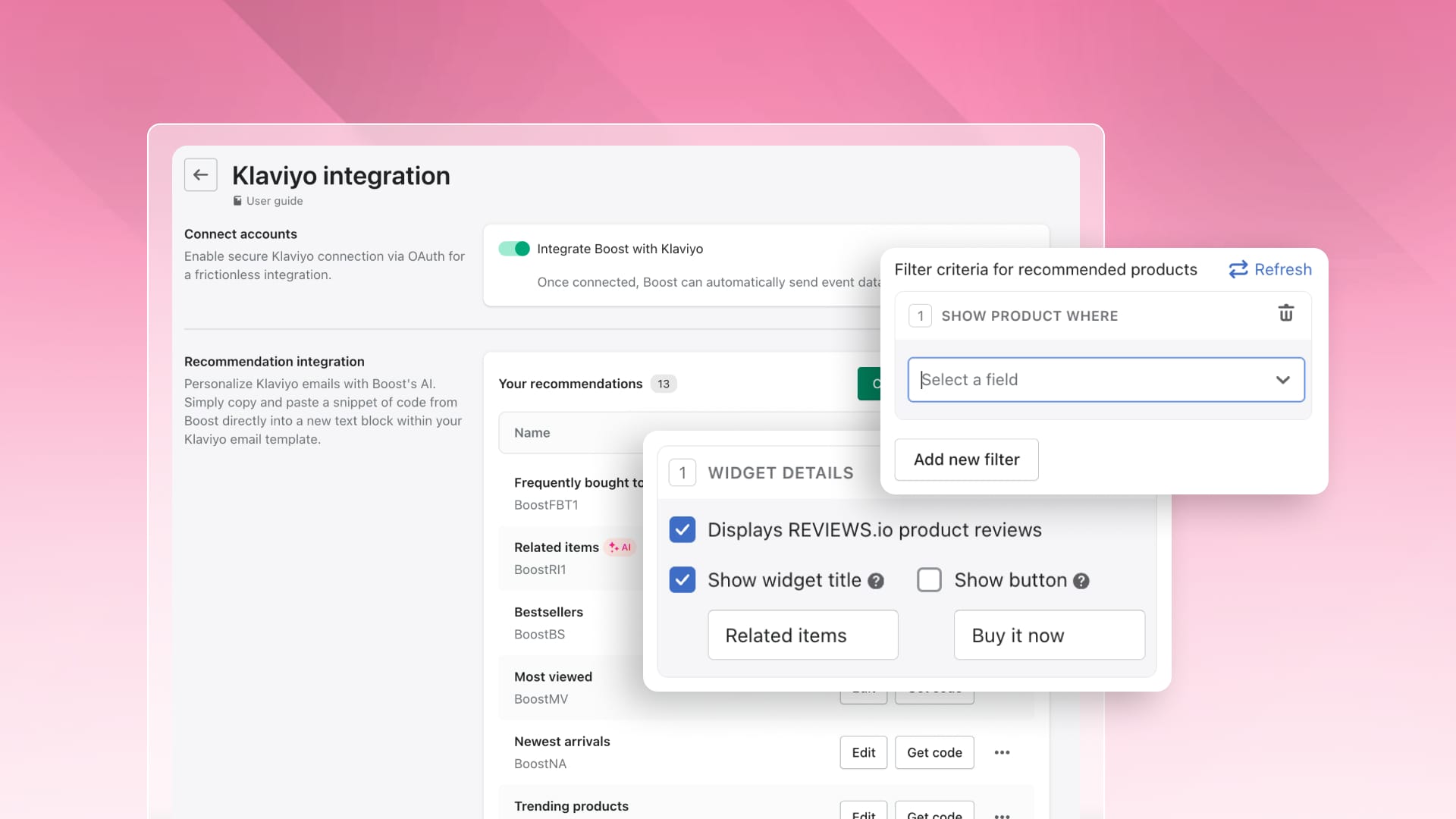
Recommendation blocks in your email flows drive clicks only when shoppers see relevant, available products. Previously, Boost selected items automatically when you embedded the recommendation widgets within your Klaviyo emails. Filtering rules change this by allowing up to 4 rules per recommendation block, requiring products to match all criteria to be displayed.
You can filter on price, stock level, collection, product category, product type, vendor, tag, REVIEWS.io rating, and REVIEWS.io review count.
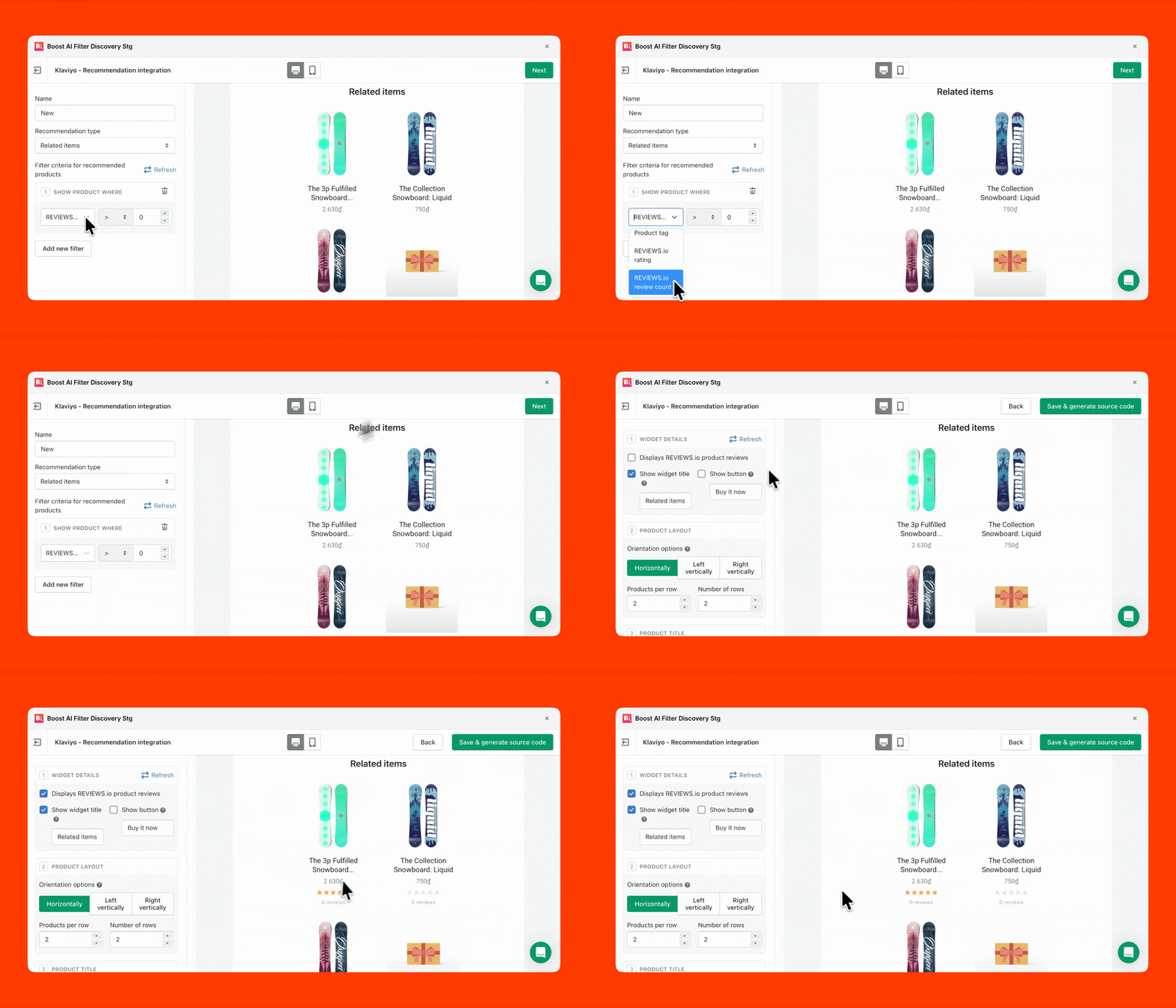
Rules work on all 6 recommendation types: Frequently bought together, Related items, Bestsellers, Most viewed, Newest arrivals, and Trending products. The preview uses your store's real products and updates as you edit, so you see the result before anything reaches Klaviyo.
Another upgrade for Klaviyo integration is the ability to show star ratings when you connect with REVIEWS.io.
Turn on "Display REVIEWS.io product reviews" and each product in the widget shows its star rating and review count. Shoppers see the proof in the email itself, before they reach your store. If REVIEWS.io isn't connected to Boost yet, the option opens the setup page in a new tab, and a Refresh button picks up the connection when you come back.
Matching the widget to your template used to mean editing HTML and CSS. Now it happens in Boost:
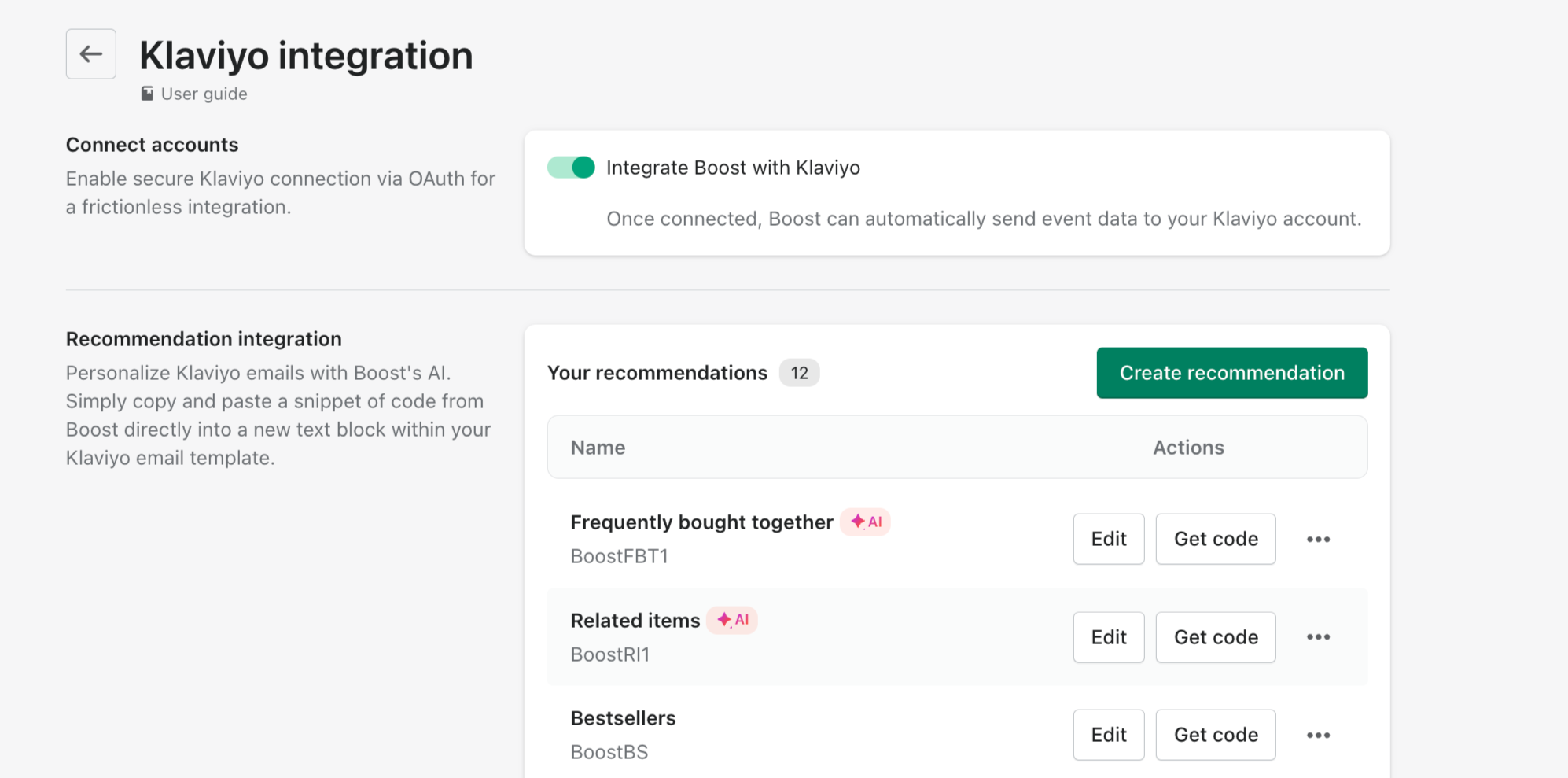
Go to Integrations > Klaviyo > Create recommendation. Name it, pick a type and add your rules. On the next tab, customize the widget. Click Save & generate source code, then copy the web feed name and URL into Klaviyo (Settings > Other > Web feeds) and paste the source code into a text block in your template.
Check this support article: Klaviyo: Email Marketing & SMS for details.
Nothing breaks. Your list starts with 6 default recommendations, one per type, with the same settings as before. Emails already sent or scheduled keep showing products. One thing to know: deleting a recommendation also deletes its web feed, so any live Klaviyo email that uses it stops showing products.
Support article: Klaviyo: Email Marketing & SMS (to be updated, see Help & enablement tab)